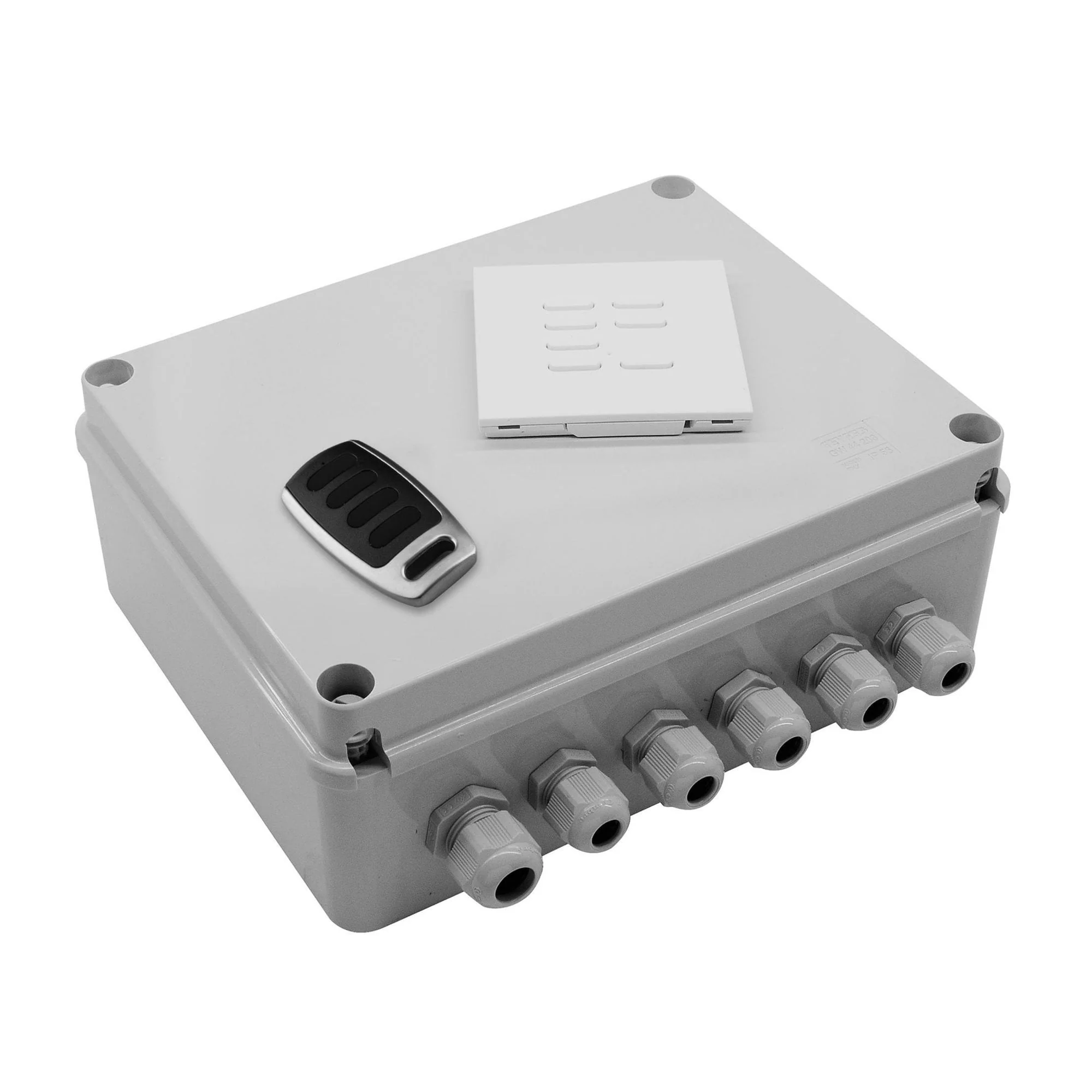
Wise Scene Box Kit (4 channel receiver, switch & FOB) - DIMMABLE
The Wise Scene Box is a 4 circuit dimmer that is controlled using wireless keypads.
This box has been designed to dim incandescent, halogen and LEDs with smooth dimming and no flicker.
You can set the individual circuits to switch or dim.
The Wise Scene Box is easy to install with simple mounting to any wall. The wiring is fast with large input terminals and a dedicated terminal for each circuit.
The box is IP56 waterproof rated for use both inside the home or outside in the garden.
Multiple boxes can be installed in the same home/garden to create a complete system for controlling your lighting. Multiple keypads can be used to control the lights from different positions.
The Wise Scene Box has many programming options giving huge flexibility. You can choose single buttons for on/off and dimming to full scene setting using the wireless keypads plus many more options.
This system uses a very straight forward way of changing the pre-set scenes. No software is required. This gives either the electrician or home owner the option to adjust their own scenes to their preference without the need of a programmer.
All options can be controlled on your phone, tablet or PC or if used with the WISE DAISY WIFI TVDAY868A01 can be controlled by Amazon Alexa and Google Home:
All 4 channels can be controlled separately, but need to programmed in a specific way.
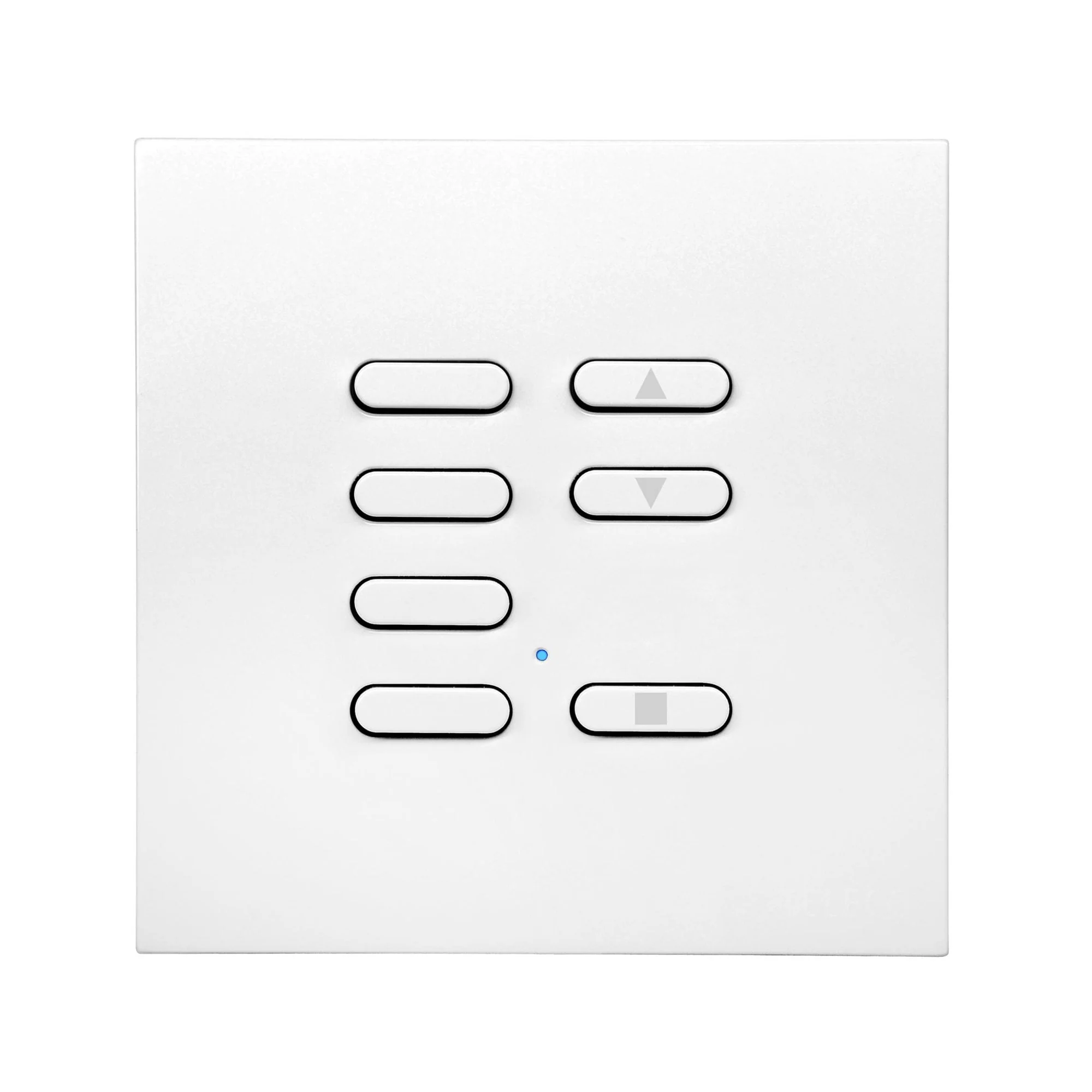
Firstly, they need to have a 4 button switch.
€¢ Select the first channel with the blue button.
€¢ Whilst selected, press the yellow button twice, holding on the second press.
€¢ Whilst holding, press the button on the transmitter they wish to link to that circuit.
€¢ When complete, use the blue button to select channel 2 and repeat the same process with the yellow button, but linking to button 2 on the transmitter.
€¢ Repeat this same process with channels 3 and 4, linking to the last 2 buttons on the transmitter and when complete, deselect all the channels by pressing the blue button 1 last time.
Each button will turn on a circuit when pressed for less than second and dim the circuit if held down for any longer.
Product Information
Product Information
Shipping & Returns
Shipping & Returns


Wise Scene Box Kit (4 channel receiver, switch & FOB) - DIMMABLE
Wise Scene Box Kit (4 channel receiver, switch & FOB) - DIMMABLE
The Wise Scene Box is a 4 circuit dimmer that is controlled using wireless keypads.
This box has been designed to dim incandescent, halogen and LEDs with smooth dimming and no flicker.
You can set the individual circuits to switch or dim.
The Wise Scene Box is easy to install with simple mounting to any wall. The wiring is fast with large input terminals and a dedicated terminal for each circuit.
The box is IP56 waterproof rated for use both inside the home or outside in the garden.
Multiple boxes can be installed in the same home/garden to create a complete system for controlling your lighting. Multiple keypads can be used to control the lights from different positions.
The Wise Scene Box has many programming options giving huge flexibility. You can choose single buttons for on/off and dimming to full scene setting using the wireless keypads plus many more options.
This system uses a very straight forward way of changing the pre-set scenes. No software is required. This gives either the electrician or home owner the option to adjust their own scenes to their preference without the need of a programmer.
All options can be controlled on your phone, tablet or PC or if used with the WISE DAISY WIFI TVDAY868A01 can be controlled by Amazon Alexa and Google Home:
All 4 channels can be controlled separately, but need to programmed in a specific way.
Firstly, they need to have a 4 button switch.
€¢ Select the first channel with the blue button.
€¢ Whilst selected, press the yellow button twice, holding on the second press.
€¢ Whilst holding, press the button on the transmitter they wish to link to that circuit.
€¢ When complete, use the blue button to select channel 2 and repeat the same process with the yellow button, but linking to button 2 on the transmitter.
€¢ Repeat this same process with channels 3 and 4, linking to the last 2 buttons on the transmitter and when complete, deselect all the channels by pressing the blue button 1 last time.
Each button will turn on a circuit when pressed for less than second and dim the circuit if held down for any longer.
Product Information
Product Information
Shipping & Returns
Shipping & Returns
Description
The Wise Scene Box is a 4 circuit dimmer that is controlled using wireless keypads.
This box has been designed to dim incandescent, halogen and LEDs with smooth dimming and no flicker.
You can set the individual circuits to switch or dim.
The Wise Scene Box is easy to install with simple mounting to any wall. The wiring is fast with large input terminals and a dedicated terminal for each circuit.
The box is IP56 waterproof rated for use both inside the home or outside in the garden.
Multiple boxes can be installed in the same home/garden to create a complete system for controlling your lighting. Multiple keypads can be used to control the lights from different positions.
The Wise Scene Box has many programming options giving huge flexibility. You can choose single buttons for on/off and dimming to full scene setting using the wireless keypads plus many more options.
This system uses a very straight forward way of changing the pre-set scenes. No software is required. This gives either the electrician or home owner the option to adjust their own scenes to their preference without the need of a programmer.
All options can be controlled on your phone, tablet or PC or if used with the WISE DAISY WIFI TVDAY868A01 can be controlled by Amazon Alexa and Google Home:
All 4 channels can be controlled separately, but need to programmed in a specific way.
Firstly, they need to have a 4 button switch.
€¢ Select the first channel with the blue button.
€¢ Whilst selected, press the yellow button twice, holding on the second press.
€¢ Whilst holding, press the button on the transmitter they wish to link to that circuit.
€¢ When complete, use the blue button to select channel 2 and repeat the same process with the yellow button, but linking to button 2 on the transmitter.
€¢ Repeat this same process with channels 3 and 4, linking to the last 2 buttons on the transmitter and when complete, deselect all the channels by pressing the blue button 1 last time.
Each button will turn on a circuit when pressed for less than second and dim the circuit if held down for any longer.